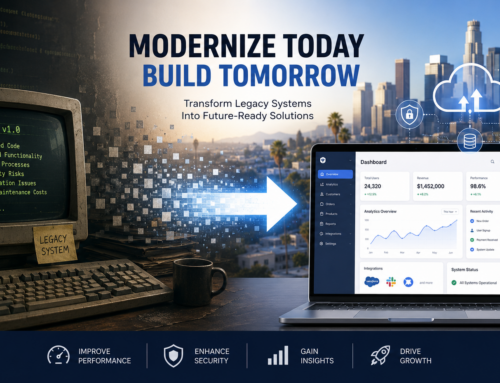
Modern businesses rarely operate on a single software platform. Customer information may live in a CRM, financial data may be managed through an ERP, employees may rely on internal applications, and critical information may move through third-party APIs, cloud services, and legacy systems. When those platforms cannot communicate effectively, teams are left dealing with duplicate data, manual processes, fragmented reporting, and unnecessary operational friction.
For organizations that need their technology to function as one connected ecosystem, Los Angeles Software Developers builds custom enterprise software and integration solutions designed around existing workflows, infrastructure, and long-term business requirements. Companies exploring connected mobile and application experiences can also review development insights from Los Angeles App Developers when considering how front-end applications may interact with larger software ecosystems.
Enterprise software integration is not simply about making two programs exchange data. A successful integration strategy creates a reliable architecture in which applications, databases, employees, customers, and business processes can work together without creating new bottlenecks. For Los Angeles organizations operating across multiple platforms, that often means connecting CRM and ERP systems, building secure APIs, modernizing older applications, and designing data flows that can scale with the business.
What Is Enterprise Software Integration?
Enterprise software integration is the process of connecting separate business applications and systems so they can exchange information and coordinate workflows. Instead of requiring employees to manually transfer information between platforms, integrated systems can automate communication and maintain a more consistent view of business data.
An enterprise environment might include:
- Customer relationship management systems
- Enterprise resource planning platforms
- Accounting and billing software
- Inventory and logistics platforms
- Human resources systems
- Custom internal applications
- Mobile and web applications
- Data warehouses and analytics platforms
- Cloud infrastructure
- Third-party APIs and software services
- Older legacy systems that remain important to daily operations
Each system may perform its individual function successfully while still creating problems for the organization as a whole. Integration addresses the connections between those systems so data and business processes can move more efficiently.
Why Disconnected Business Systems Become a Problem
Software environments often become fragmented gradually. A business adds a CRM to improve sales operations, an ERP to manage resources, a separate accounting platform, a customer portal, an analytics tool, and specialized applications for individual departments.
Each addition may solve an immediate problem, but the organization can eventually end up with a collection of systems that were never designed to work together.
Common symptoms include:
- Employees entering the same information into multiple systems
- Customer records that differ between departments
- Reports assembled manually from several data sources
- Delays between transactions and system updates
- Different teams maintaining separate versions of the same information
- Legacy applications becoming isolated from newer platforms
- Growing dependence on spreadsheets and manual workarounds
As an organization grows, these inefficiencies can become more difficult to manage. Integration creates an opportunity to simplify those workflows without necessarily replacing every existing platform.
Connecting CRM and ERP Systems
CRM and ERP platforms are two of the most important systems within many businesses, yet they often manage different parts of the customer lifecycle.
A CRM typically focuses on customer relationships, sales activity, communications, leads, and opportunities. An ERP may manage accounting, inventory, purchasing, fulfillment, operations, or other internal resources.
When these systems operate independently, employees may have to move information manually between sales and operations teams.
A properly designed CRM and ERP integration can allow information such as customer records, orders, invoices, inventory status, and account updates to move automatically between systems.
For example, when a sales opportunity becomes a confirmed order, relevant information may be transferred into the ERP without requiring another employee to re-enter the transaction. Updates from fulfillment or accounting can then be made available to other connected applications.
The exact architecture should depend on the platforms involved, the amount of data being exchanged, security requirements, and how quickly information must be synchronized.
The Role of APIs in Enterprise Integration
Application programming interfaces, or APIs, are one of the primary tools used to connect modern software platforms.
An API establishes a structured method for one application to request information or trigger functionality in another system. This allows developers to connect software without requiring direct access to every internal component of the application.
APIs can support functions such as:
- Creating or updating customer records
- Checking product inventory
- Processing transactions
- Retrieving account information
- Updating order status
- Synchronizing data with external services
- Connecting mobile applications with enterprise systems
However, simply having an API available does not guarantee that an integration will be reliable. Authentication, error handling, rate limits, version changes, data validation, logging, and security controls all need to be considered when designing the connection.
Point-to-Point Integration vs. a Scalable Architecture
One of the most important architectural decisions is determining how different systems should communicate.
A small environment may begin with direct point-to-point connections. System A communicates directly with System B, and another connection is later created between System B and System C.
This can work when only a few systems are involved. As the number of platforms grows, however, the number of individual connections can become difficult to maintain.
Changes to one application may affect several integrations, creating a network of dependencies that becomes increasingly fragile.
More complex enterprise environments may benefit from a centralized integration layer, service-based architecture, API gateway, middleware platform, or other structured approach that reduces unnecessary dependencies between applications.
The right design depends on the size and complexity of the environment rather than a single architecture being appropriate for every organization.
Integrating Legacy Systems Without Replacing Everything
Many established organizations still rely on older applications that perform essential business functions. Replacing those systems immediately may introduce cost, operational disruption, or unnecessary risk.
Integration can provide another path.
A legacy application may be connected to newer platforms through an API layer, database integration, middleware, event-based architecture, or a custom interface. This can allow the business to continue using important existing functionality while introducing newer applications around it.
For some organizations, integration becomes part of a larger modernization strategy. Individual components can be updated or replaced gradually instead of attempting a complete transformation at once.
Data Synchronization Is More Than Moving Information
Moving data between systems is only part of the integration challenge. Organizations must also decide which system is responsible for each type of information.
For example, if a customer’s address appears in the CRM, ERP, billing platform, and customer portal, the business should establish which application is considered authoritative.
Without clear ownership rules, one system may overwrite newer information from another or create conflicting records.
Important questions include:
- Which platform owns each category of data?
- Should information synchronize instantly or on a schedule?
- What happens when two systems contain conflicting values?
- How are duplicate records identified?
- How should failed transactions be retried?
- Which users or systems are allowed to modify information?
Defining these rules before implementation can prevent many integration problems later.
Real-Time Integration vs. Batch Processing
Not every business process requires information to move instantly.
Real-time integration is useful when systems need current information immediately. Examples may include account authentication, inventory availability, transaction processing, operational alerts, or customer-facing status updates.
Other processes may work perfectly well with scheduled synchronization. Large analytics datasets, reporting information, historical records, or non-critical administrative updates may be transferred periodically instead.
Real-time systems can provide greater immediacy but may also require more sophisticated infrastructure, monitoring, and error handling. Choosing the appropriate synchronization method for each workflow can help control complexity.
Security Must Be Part of the Integration Architecture
Connecting enterprise systems increases the number of pathways through which information can move. Those pathways need to be secured deliberately.
Security considerations may include:
- Encrypted data transmission
- Strong authentication between applications
- Role-based access controls
- API authorization
- Audit logging
- Credential and secret management
- Monitoring unusual activity
- Restricting access to sensitive information
Los Angeles Software Developers describes security-first development, including encryption, audit logging, access controls, and support for enterprise environments with compliance requirements. Integration architecture should preserve those protections as data moves between different systems.
Building an Integration Strategy Around Business Workflows
The best integration projects begin with business processes rather than individual software products.
Instead of asking only which applications need to connect, teams should examine how information moves through the organization.
For example:
- A prospect submits information.
- The lead enters a CRM.
- A sales representative converts the opportunity.
- An order is created.
- Inventory or services are allocated.
- Accounting generates an invoice.
- Operational teams fulfill the request.
- Management receives performance data.
If employees have to manually transfer information at several points in that workflow, those handoffs may be good candidates for integration or automation.
Mapping the complete process helps developers understand which systems need to communicate, what information they need to exchange, and where automation can create the greatest operational benefit.
When Should a System Be Integrated, Replaced, or Rebuilt?
Not every application deserves to remain part of the long-term architecture.
Before investing in an integration, organizations should evaluate the condition and strategic value of each system.
Integration may make sense when:
- The existing system performs its primary function well
- Employees are familiar with the platform
- Replacing it would create unnecessary disruption
- The software provides a stable integration method
- The system remains supported and secure
Replacement or redevelopment may deserve consideration when:
- The application is no longer supported
- Security vulnerabilities cannot reasonably be addressed
- The underlying technology severely limits integration
- Maintenance costs continue increasing
- The platform prevents important workflow improvements
In many enterprise environments, the final solution is a combination of these approaches. Some platforms remain in place, some are integrated with new applications, and others are gradually modernized or replaced.
Testing Enterprise Integrations
Integration testing should go beyond confirming that one application can successfully send a message to another.
Developers also need to evaluate how the entire workflow behaves under normal and abnormal conditions.
Testing may include:
- Validating data mappings
- Testing authentication and permissions
- Simulating API failures
- Checking duplicate transactions
- Testing retry mechanisms
- Verifying behavior under higher system loads
- Confirming logs provide useful diagnostic information
- Testing changes to connected platforms
Well-designed integrations should fail predictably and provide enough information for technical teams to diagnose problems quickly.
Monitoring and Maintaining Connected Systems
An integration project does not end when the connection first goes live.
Enterprise platforms change over time. APIs introduce new versions, authentication requirements evolve, databases grow, workflows change, and businesses add new software.
Monitoring helps identify issues before they become major operational problems.
Teams may track:
- Failed API requests
- Synchronization delays
- Processing errors
- Unusual transaction volume
- System availability
- Performance bottlenecks
- Authentication failures
Maintaining integrations as part of the broader software environment helps ensure that the architecture continues supporting the business as requirements evolve.
Planning a Phased Enterprise Integration Project
Attempting to connect every system at the same time can introduce unnecessary risk. A phased strategy often allows organizations to focus first on the workflows that create the greatest operational value.
A typical planning process may include:
- Inventorying existing applications and databases
- Documenting critical business workflows
- Identifying duplicate or manual processes
- Establishing data ownership rules
- Prioritizing high-value integrations
- Designing the technical architecture
- Implementing and testing individual connections
- Monitoring performance before expanding the integration
This approach allows teams to validate the architecture and address unexpected issues before expanding it across additional systems.
Enterprise Integration for Los Angeles Businesses
Los Angeles organizations operate across industries with very different technology requirements, but many face the same underlying challenge: important business information is distributed across too many disconnected systems.
A well-designed integration strategy can create a more cohesive software environment by connecting the applications that employees and customers already depend on.
For some businesses, that means synchronizing CRM and ERP platforms. For others, it may involve integrating custom applications, building API infrastructure, connecting data warehouses, modernizing legacy systems, or developing a broader enterprise platform.
The goal is not integration for its own sake. The goal is to create a software ecosystem that supports reliable data flow, efficient workflows, stronger visibility, and future growth.
Building a More Connected Software Ecosystem
Enterprise software becomes significantly more valuable when individual systems can operate as part of a coordinated environment.
Successful integration requires more than connecting endpoints. It requires understanding business workflows, designing clear data ownership rules, selecting the appropriate architecture, securing information as it moves between systems, and planning for future changes.
For businesses evaluating enterprise software integration in Los Angeles, the starting point should be a clear understanding of the systems already in place and the processes those systems need to support. From there, organizations can prioritize the connections that reduce friction, improve access to information, and create a more scalable technology foundation.

Diana Rumrill
Marketing Content Specialist
I’m a professional writer specializing in Digital Marketing, Branding, SEO and Web Design.